How to Save Email Events to Your Calendar
Booking confirmations, meeting invitations, event newsletters -- your inbox is full of events that never make it to your calendar. Screenshot the email and the AI handles the rest. Five steps, under a minute.
Open the Event Email
Find the email that contains event details. It could be a flight booking confirmation, a doctor's appointment reminder, a meeting invite without an .ics file, an event newsletter, or a restaurant reservation. Any email with a date, time, and a reason to be on your calendar.
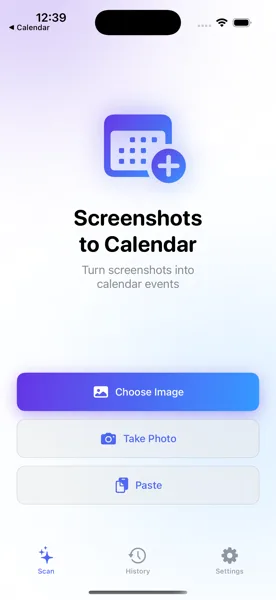
Screenshot or Use the Share Extension
Take a screenshot of the email on your iPhone. For longer emails, scroll and take multiple screenshots -- the app processes each one. Even faster: use the iOS Share Extension. Tap the share button in your Mail app, pick "Screenshots to Calendar," and the email content goes straight to the app without switching.
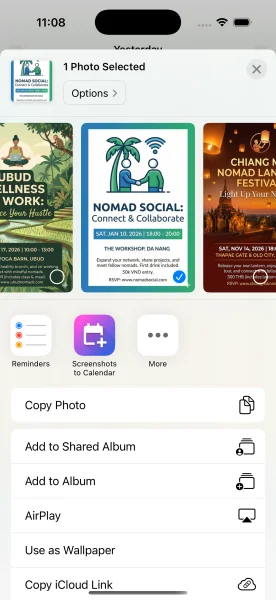
AI Extracts the Event Details
The AI reads the email screenshot and pulls out every relevant detail: event title, date, start and end times, location, and any URLs. It identifies Zoom, Teams, and Google Meet links embedded in the email and adds them to the event. Confirmation numbers and booking references are captured in the notes field.
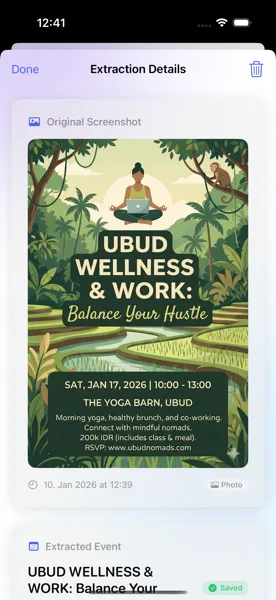
Review the Extracted Event
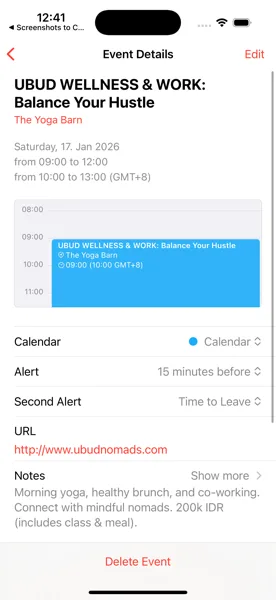
The review screen shows everything the AI found. Check the title, date, time, location, and any notes. If the email had a Zoom link, it is already attached. Need to change the calendar or add a reminder? Adjust any field before saving. Nothing goes to your calendar without your explicit approval.
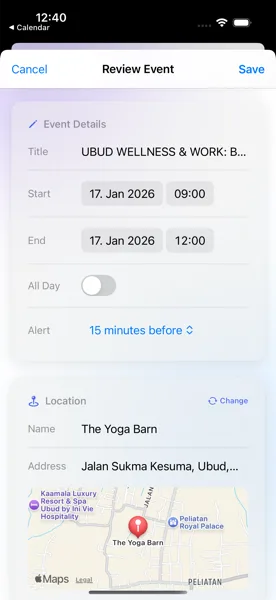
Saved to Your Calendar
Tap save and the event is added to your iOS Calendar. It syncs via iCloud to your Mac, iPad, and Apple Watch. If you use Google Calendar or Outlook through the iOS Calendar sync, the event appears there too. No more digging through emails to find event details -- they are already in your calendar.
Tips for Best Results
- Works with booking confirmations, meeting invites, event newsletters, appointment reminders, and any email containing event details
- Conference URLs in emails (Zoom, Teams, Google Meet, Webex) are detected automatically and added as event links
- Use the Share Extension directly from your Mail app -- no need to screenshot and switch apps
Your Inbox to Your Calendar in Seconds
Download Screenshots to Calendar and never forget an email event again.
Download on App Store